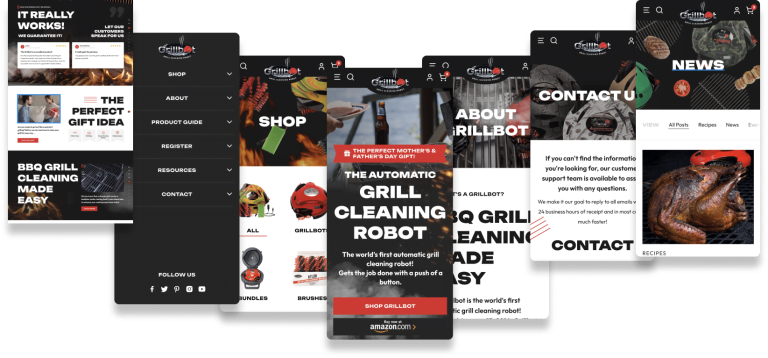







If you’re paying for clicks, send them to a landing page built for that one offer, not your homepage. A homepage has to serve everyone. A landing page only has to do one job: turn the visitor who just clicked your ad into a lead or a sale.
Here’s why that matters, and when your homepage is fine.
Why Homepages Struggle With Paid Traffic
A homepage is built to introduce the whole business. It links to every service, the about page, the blog and the portfolio. That’s useful for someone exploring, and costly for someone who clicked an ad about one specific thing.
Every extra link is a chance to wander off. Every general headline makes the visitor work out whether they’re in the right place. When you’re paying for each visit, that friction shows up directly in your cost per lead.
What a Good Landing Page Does Differently
- Matches the ad. The headline repeats the promise in the ad, so the visitor knows they landed in the right place.
- Has one goal. One offer and one call to action, whether that’s a call, a form or a booking.
- Removes distractions. Fewer navigation links and no unrelated content.
- Shows proof near the decision. Reviews, results, logos and guarantees sit next to the form, not at the bottom of the page.
- Loads fast on a phone. Most ad clicks come from mobile, and slow pages lose people before they read a word.
Our guide to landing page design goes deeper on layout and copy.
When Sending Traffic to Your Homepage Is OK
There are a few cases where the homepage is a reasonable destination:
- Branded search. Someone searching your company name wants your homepage.
- Very small accounts where you can’t yet justify building separate pages, as long as the homepage has a clear call to action above the fold.
- Awareness campaigns where the goal is reach rather than leads.
Even then, test a dedicated page as soon as the budget allows. It’s one of the cheapest ways to lower cost per lead.
Landing Pages vs Service Pages
A strong service page on your site can work as a landing page, especially for Google Ads. The difference is focus. A service page also has to rank in search and answer every question a researcher might have. A landing page can be shorter, sharper and built for a single campaign.
Many accounts use both: service pages for search ads with broad intent, and dedicated landing pages for specific offers, audiences or Meta campaigns.
How to Tell If Your Page Is the Problem
- Your click-through rate is healthy but very few visitors convert.
- Mobile visitors convert far worse than desktop.
- Visitors leave within a few seconds.
- The page headline doesn’t mention what the ad promised.
If two or more of these are true, fix the page before you spend more on ads. More traffic won’t fix a page that doesn’t convert. For the bigger picture, read why most business websites don’t generate leads.
Frequently Asked Questions
Do landing pages hurt SEO?
No. Paid landing pages are usually set to noindex so they don’t compete with your main pages in search. Your SEO pages and your ad pages can do different jobs.
How many landing pages do I need?
Start with one for each main offer or audience you advertise to. Add more as you find campaigns with different intent, such as a separate page for Meta traffic that needs more context.
Should a landing page have navigation?
Usually minimal. Keep your logo and a way to call, but remove links that pull people away from the offer.
Turn More Clicks Into Customers
We build and test landing pages as part of our conversion rate optimization and Google Ads management work. If you’re paying for clicks that don’t turn into leads, book a free consultation and we’ll show you where visitors are dropping off.