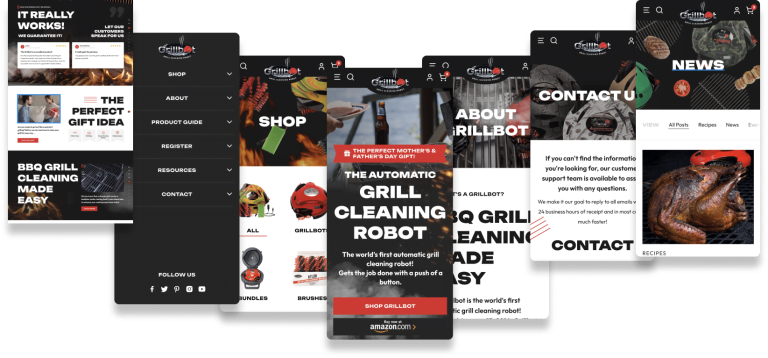







The short answer: a template website is the right call when you need to launch fast, spend little, and test an idea. A custom website is worth it when your site has to win business in a competitive market, generate leads every day, or carry a brand that needs to look different from everyone else in your space.
Most businesses don’t need a site coded from a blank file. The best value for a growing company is usually the middle path: a custom design built for your brand and your sales process, developed on a proven platform like WordPress. That gets you the differentiation and conversion focus of custom work without paying to reinvent the parts that already work.
Below, we break down what each option really costs as of October 2026, how long it takes, how it affects speed, accessibility, SEO and conversions, and how to tell which one fits your business right now.
Custom Website vs Template: Quick Comparison
| Factor | Template Website | Custom Website |
|---|---|---|
| Upfront cost | About $0 to $100 for a theme, or a builder plan from roughly $17 to $19/month (annual billing). A freelancer customizing a template often adds $500 to $5,000. | Commonly $5,000 to $30,000+ depending on scope. Sage custom projects typically start in the $5,000 to $10,000 range. |
| Time to launch | A few days to about 4 weeks | Typically 6 to 14 weeks |
| Design uniqueness | Layout shared with many other sites | Designed around your brand and audience |
| Conversion path | Generic demo layouts built to sell the template | Mapped to your services, offers and lead flow |
| Performance | Varies widely. Multipurpose themes often load code for features you never use. | Loads only what the design needs, if it is built well |
| Accessibility | Inherits whatever issues the theme ships with | Can be designed and tested against WCAG from day one |
| SEO structure | Fine for simple sites, harder with many services or locations | Site architecture planned around your keywords and pages |
| Scalability | Limited by the theme or builder | Grows with new services, locations and integrations |
| Ownership | Builders like Wix can’t be moved to another host. WordPress themes are portable. | On WordPress, you own the design, the code and the content |
| Ongoing cost | Subscriptions or theme renewals, plus your own time | Hosting plus a care plan (Sage plans start at $99/month) |
| Best for | Validating an idea, tight budgets, simple brochure sites | Competitive markets, lead generation, multi-location and brand-led businesses |
What Counts as a Template vs a Custom Website
The terms get used loosely, so it helps to define them before comparing prices.
A template website starts from a pre-made design. That could be a Squarespace or Wix template you fill in yourself, a premium WordPress theme like the multipurpose bestsellers on ThemeForest, or a template a freelancer installs and adjusts with your logo, colors and copy. The structure, page layouts and most design decisions were made before anyone knew your business existed.
A custom website starts from your business: your customers, your services, your competitors and the action you want visitors to take. A designer creates the layouts specifically for you, usually in a design tool like Figma, and a developer builds them. Custom does not have to mean every line of code is written from scratch. Most professional custom sites run on an established content management system, because rebuilding page editing, user roles and security from zero adds cost without adding value.
The real difference is where the design thinking happens. With a template, you adapt your business to the layout. With custom, the layout is shaped around your business.
Cost: Setup and Ongoing
What a Template Website Costs
Templates are cheap to buy. As of October 2026, the top-selling multipurpose WordPress themes on ThemeForest, including Avada, Betheme, Enfold and Salient, sell for roughly $59 to $89 for a regular license. That price includes six months of author support, extendable to a maximum of 12 months, and the Envato support policy excludes customization work.
DIY builders bundle the template with hosting for a monthly fee. Squarespace lists its Basic plan at $19/month and Core at $29/month on annual billing, and Wix lists its Light plan at $17/month and Business at $39/month on yearly billing in the US. Those subscriptions never end, so a $29/month plan comes to about $1,740 over five years before apps or add-ons.
If you hire someone to set up and customize a template, the price climbs. Upwork puts median web designer rates at $15 to $30 an hour, with full custom site design work averaging $45 to $75+ an hour. WebFX’s 2026 cost guide puts freelancer projects anywhere from $500 to $10,000+. In practice, a customized template from a freelancer usually lands between $500 and $5,000, depending on page count and how much of your content they write.
What a Custom Website Costs
Agency custom work costs more because you are paying for strategy, original design, development and testing. WebFX’s guide puts agency projects at $3,000 to $30,000+, which matches what we see in the market for small and mid-size business sites. Enterprise builds with complex integrations go well beyond that.
At Sage, custom website projects typically start in the $5,000 to $10,000 range and scale with page count, ecommerce, integrations and content needs. You can see how our packages are structured on our pricing page, and our full breakdown of what a website costs walks through every line item.
The Hidden Costs on Both Sides
- Template hidden costs: premium plugins the demo depended on, extended support renewals, your own hours wrestling with the theme, and the redesign you’ll pay for if the template stops fitting the business.
- Custom hidden costs: content you didn’t budget for (copy, photography, video), revision rounds beyond scope, and ongoing maintenance. A well-scoped proposal should spell all of this out.
- Both: hosting, domain, SSL, backups, security monitoring and software updates. These don’t go away with either option.
Timeline: How Long Each Option Takes
Speed is the template’s biggest advantage. If your content is ready, you can launch a DIY builder site in a few days. A freelancer customizing a premium theme usually needs two to four weeks.
A custom website typically runs 6 to 14 weeks for a small or mid-size business. That time covers discovery, sitemap and wireframes, design in Figma, revisions, development, content loading, QA across devices and launch. The most common cause of delay is not design or code. It is waiting on content and approvals, so the businesses that launch on time are the ones that have copy, photos and a decision-maker lined up early.
Performance and Code Bloat
Multipurpose themes are built to be everything to everyone: restaurants, law firms, portfolios, shops. To support dozens of demo layouts, they ship sliders, animation libraries, icon sets, custom post types and bundled plugins whether you use them or not. In WP Rocket’s test of Avada, the bare theme alone came to 475 KB across 17 requests before any demo content or the companion builder plugins were added.
The broader data backs this up. The 2025 Web Almanac CMS chapter found only 45% of WordPress sites delivered good Core Web Vitals on mobile, compared with 74% for Wix and 85% for Duda. To be fair to templates, that tells you hosted builders handle performance well out of the box. A simple Wix or Squarespace site can be faster than a WordPress site loaded with a heavy theme, a dozen plugins and cheap hosting.
Speed matters because it affects revenue. In the Google-commissioned Milliseconds Make Millions study by Deloitte, a 0.1-second improvement in mobile site speed was associated with an 8.4% lift in retail conversions and a 21.6% increase in lead generation visitors progressing to the form page. A custom build lets you load only the code each page needs. Custom doesn’t guarantee speed, though. A sloppy custom build can be slower than a lean template, which is why performance should be a written requirement in any proposal. Our guide to improving WordPress speed covers what to look for.
Brand Differentiation and First Impressions
Visitors judge your site almost instantly. Google research found people form aesthetic judgments of a website in roughly 17 to 50 milliseconds, and they prefer designs that are simple and match what they expect from that type of site.
That cuts both ways. A popular template can look polished and familiar, which helps. But if three competitors in your city use the same theme, your site blends in at exactly the moment a prospect is comparing options. A good custom design keeps the familiar structure people expect (clear navigation, obvious calls to action) while making your brand, photography and message unmistakably yours. You can see what that looks like in our roundup of bespoke web design examples.
Conversion-Focused UX
Here is something template buyers rarely consider: a template’s demo is designed to sell the template. Its job is to look impressive in a marketplace screenshot, not to turn your visitors into calls, form fills or bookings.
Custom design starts with the conversion path. Who is visiting, what question are they trying to answer, what proof do they need, and what is the next step? That shapes everything from the hero message to where testimonials sit to how many fields your form has. For lead generation businesses, this is usually where a custom site earns back its cost. If your current site gets traffic but few inquiries, our article on why websites don’t generate leads walks through the common causes.
Accessibility
Accessibility problems are everywhere. The 2026 WebAIM Million report found detectable WCAG failures on 95.9% of the top one million home pages, averaging 56.1 errors per page. Low-contrast text appeared on 83.9% of pages, missing image alt text on 53.1% and missing form labels on 51%. Digital accessibility lawsuits keep climbing too: UsableNet counted 2,019 filings in the first half of 2025 alone.
With a template, you inherit whatever contrast ratios, heading structure and keyboard behavior the theme author chose. Fixing those after the fact often means fighting the theme. With custom work, accessibility can be built into the design system from the start: color palettes checked for contrast, logical heading order, labeled forms and focus states. Our website accessibility guide explains what WCAG compliance involves.
SEO and AI Search Visibility
Google does not rank a site higher because it is custom. Plenty of template sites rank well, and plenty of expensive custom sites don’t. What matters is content quality, site structure, speed, internal linking, structured data and authority.
Where custom pulls ahead is architecture. If you offer eight services in four cities, you need a page structure that gives each service and location its own optimized page, connected by logical internal links and schema markup. Templates are built around a handful of generic page types, so stretching them to fit a complex SEO plan gets awkward. The same structure helps with AI search tools like ChatGPT, Perplexity and Google’s AI Overviews, which favor clear, well-organized pages that answer specific questions directly.
Scalability, Ownership and Lock-In
Think about where your business will be in three years. Adding a booking system, a client portal, a new location or a product line is easy on a flexible build and painful on a rigid template.
Ownership matters even more. Wix states plainly that your site must run on its servers and can’t be moved to another host. Squarespace’s export produces a WordPress-format XML file that covers basic pages and one blog, but leaves out store pages, video blocks, headers and footers, and all of your styling. If you leave either platform, you are effectively rebuilding.
A WordPress site, whether template or custom, is portable. You can move hosts, change agencies or bring development in-house and keep everything.
Maintenance and Security
Hosted builders handle security and updates for you, which is a real advantage for owners who don’t want to think about it. On WordPress, someone has to keep the core software, theme and plugins updated. Multipurpose themes add risk here because they often bundle third-party plugins that update on the theme author’s schedule, not the plugin developer’s. If the author slows down or abandons the theme, you are stuck.
A custom WordPress build with a lean plugin stack is easier to maintain because there is less to update and fewer moving parts to conflict. Either way, budget for professional upkeep or set aside time each month. That is why Sage offers managed hosting and care plans alongside its builds, so updates, backups and monitoring don’t depend on you remembering.
The Middle Path: Custom Design on a Proven Framework
The choice isn’t really “$60 theme” versus “hand-coded from nothing.” For most small and mid-size businesses, the smartest option sits in between: an original design built on a platform that already solves the hard, boring problems.
This is how Sage works. We design every site in Figma first, so you see and approve exact layouts for desktop and mobile before development starts. Then we build it in WordPress with Elementor, without a bloated multipurpose theme underneath. You get:
- A design made for your brand, audience and conversion goals
- The world’s most widely used CMS, which the Web Almanac puts at about 64% of CMS-powered sites
- A visual editor your team can use to update text, images and pages without calling a developer
- Full ownership and portability, with no platform lock-in
- Lower cost and faster timelines than a fully hand-coded build
The tradeoff is that page builders add some overhead compared with hand-coded themes, so performance depends on disciplined building: limited add-ons, optimized images, good hosting and caching. That discipline is part of what you are paying an agency for.
Who Should Choose a Template
A template is a smart decision, not a compromise, in these situations:
- You are validating an idea. If you don’t know yet whether the offer will sell, launch a clean template in a week and spend the difference on ads or outreach. Rebuild once you have traction and real data.
- Your budget is under a few thousand dollars. A well-executed template beats a rushed, underfunded custom project every time.
- Your site is simple. A personal portfolio, an event page, or a five-page brochure site for a business that gets most of its work through referrals doesn’t need custom architecture.
- You want zero technical responsibility. A hosted builder handles hosting, security and updates in one bill, and that convenience has value.
Who Should Choose a Custom Website
Custom design pays off when the website is a revenue tool, not a digital business card:
- You compete in a crowded market. Law firms, medical practices, home services, real estate and agencies all fight for the same searches. Looking like everyone else costs you clicks and calls.
- Your business runs on leads. If you spend money on Google Ads or SEO, every percentage point of conversion rate multiplies that spend.
- You offer multiple services or locations. You need a page structure built for search, not a template stretched past its limits.
- Your brand is the product. Hospitality, luxury, creative and premium service businesses sell on experience, and the website is often the first one a customer has.
- You need specific functionality. Booking engines, CRM integrations, calculators, member areas or custom ecommerce flows are easier to plan into a custom build than to bolt onto a theme.
A quick way to test whether custom is worth it: estimate what one new customer is worth to you. If your average client is worth $3,000 and a better site brings in just two extra clients a year, a $6,000 investment pays for itself within a year and keeps paying after that. If one client is worth $50, the math changes.
What We Recommend at Sage
We have been designing websites since 2012, and our advice depends on where you are. If you are pre-revenue or testing an offer, start with a template and put your budget into getting customers. We will tell you that directly.
Once your website needs to generate leads, support paid advertising or set you apart in a competitive market, a custom design built on WordPress is the best long-term value for most businesses. It gives you a site that looks like your brand, is structured for SEO and AI search, and belongs to you outright. Our custom web design service covers strategy, Figma design, WordPress and Elementor development, launch, and ongoing hosting and care plans starting at $99/month.
Whichever route you choose, insist on three things: you own the site and its content, performance and accessibility are written into the scope, and someone is responsible for maintenance after launch.
Frequently Asked Questions
Is a custom website worth it for a small business?
It is worth it when your website directly drives revenue through leads, bookings or sales, and when you compete against other businesses for the same customers. If your work comes mainly from referrals and the site only confirms you exist, a well-built template is usually enough. Compare the cost against the value of a few extra customers per year.
How much does a custom website cost compared to a template?
As of October 2026, premium WordPress themes cost about $59 to $89, and DIY builder plans start around $17 to $19 per month on annual billing. A freelancer-customized template typically runs $500 to $5,000. Agency custom websites usually range from $5,000 to $30,000+, and Sage projects typically start at $5,000 to $10,000.
Are website templates bad for SEO?
No. Templates can rank well if the content is strong, the site is fast and the pages are well structured. Problems show up when a heavy theme slows the site down, or when a business with many services or locations outgrows the template’s page structure. SEO results come from content and architecture, not from whether the design is custom.
How long does it take to build a custom website?
Most small and mid-size business custom websites take 6 to 14 weeks from kickoff to launch. Larger sites with ecommerce or complex integrations take longer. The biggest variable is how quickly content and feedback come back from your side.
Can I start with a template and switch to a custom website later?
Yes, and for new businesses it is often the smartest sequence. If you start on WordPress, your content, blog posts and URLs can carry straight into a custom redesign. If you start on Wix or Squarespace, expect to rebuild most pages and plan redirects carefully to protect your rankings.
Is a WordPress site built with Elementor really custom?
It is when the design is created specifically for your business rather than imported from a template kit. Elementor is the building tool, the same way a contractor uses standard lumber to build a custom home. What makes it custom is the original design, content strategy and conversion planning behind it.
Ready to Decide?
The right answer depends on what your website needs to do for your business over the next few years. If you are weighing a template against a custom build and want a clear recommendation based on your goals, budget and market, talk with our team. We will tell you which route makes sense, even if that route is a template.